Recover Connect
After a disaster, first responders stand down before external agencies arrive. In that gap, neighbours are already trying to help each other — but without a way to coordinate, needs go unmet and offers of help are lost.
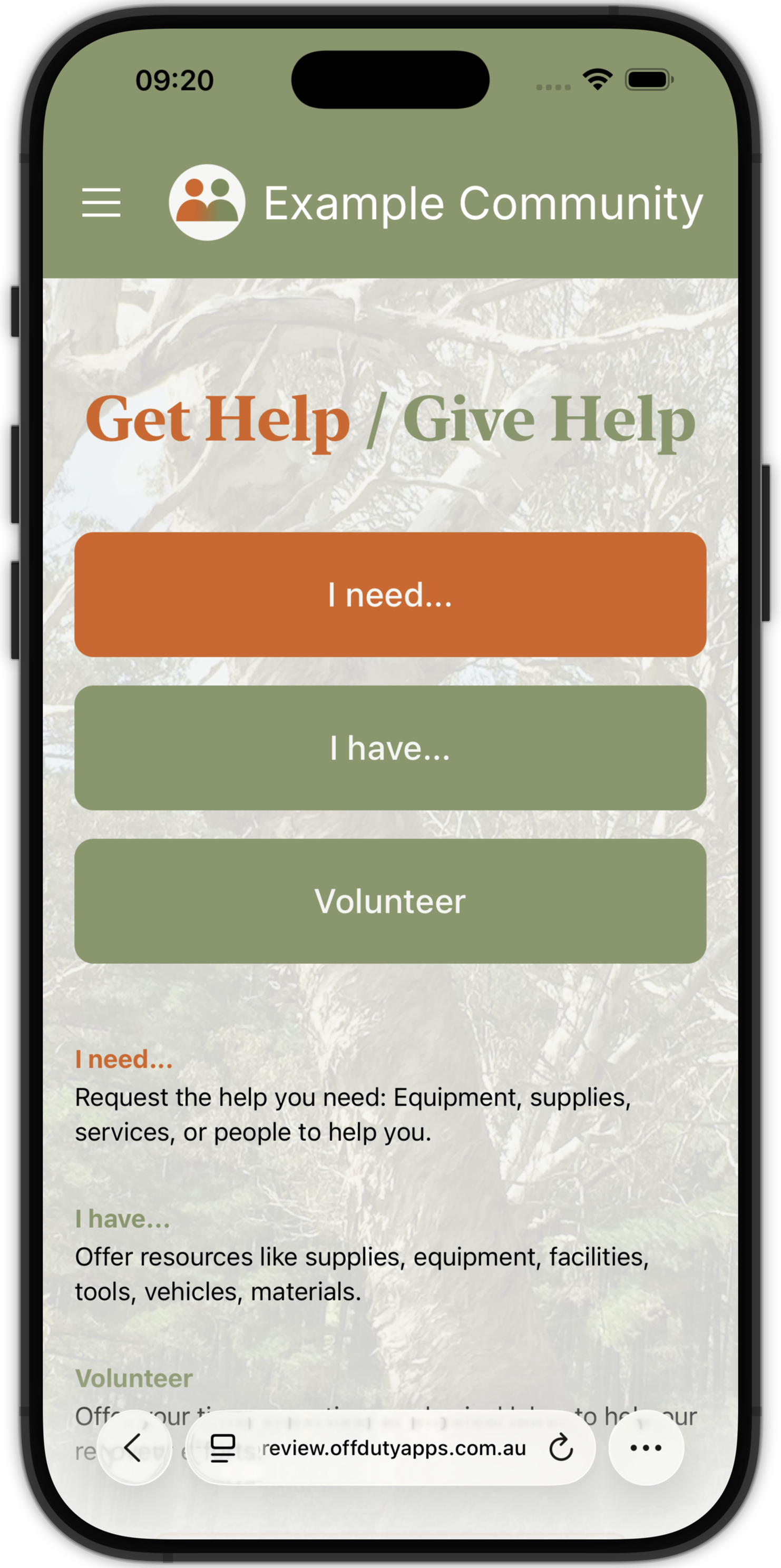
Recover Connect gives community recovery groups the tools to fill that gap. Residents visit the site and choose from three simple options: request help, offer something, or volunteer time. The form is quick to complete — just a description, a location, and contact details. No account required.
A team of trained volunteer moderators reviews every submission, makes the matches, and follows up personally with both parties.
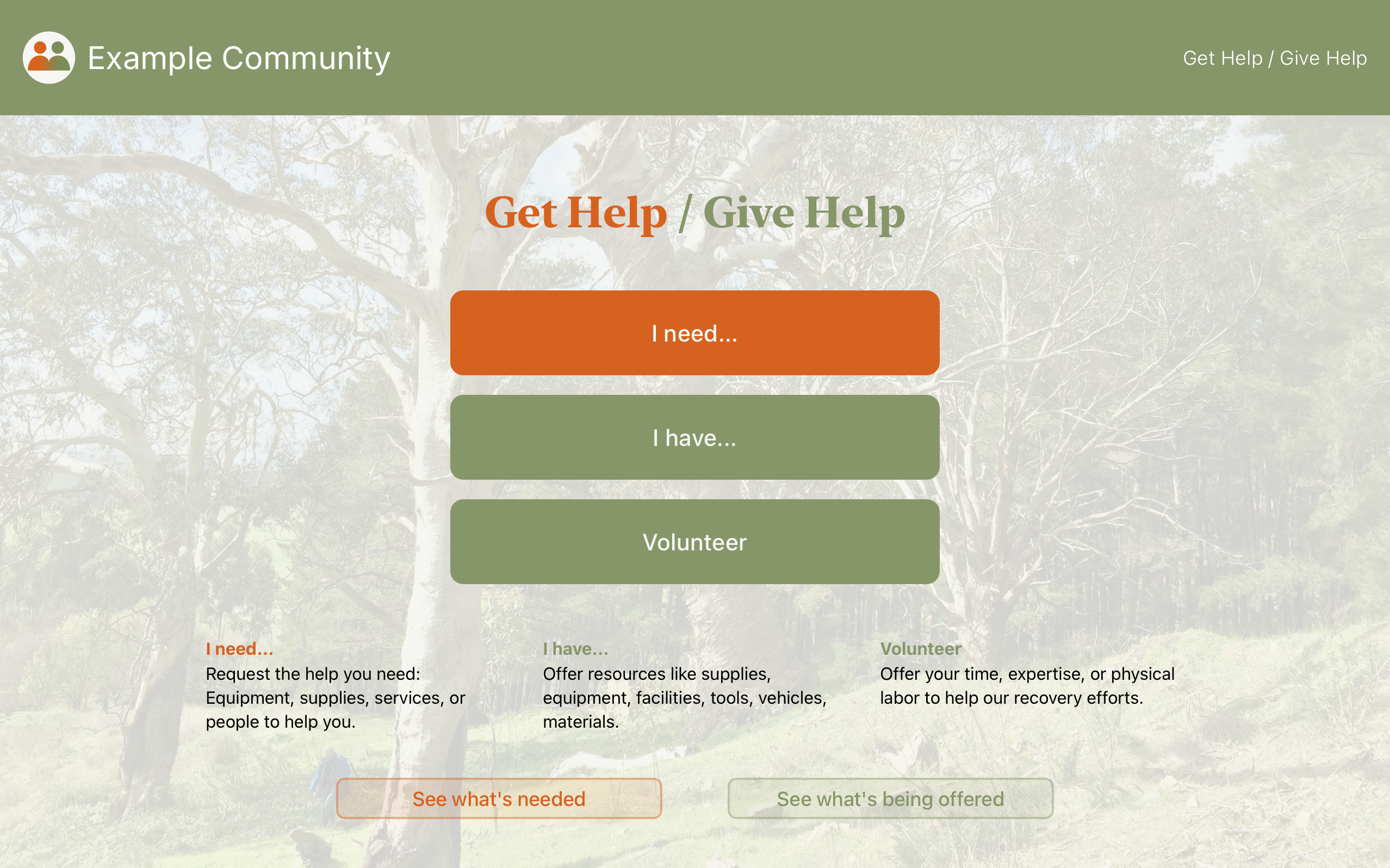
The "See what's needed" and "See what's being offered" buttons give the broader community a read-only view of approved submissions — the Public Community Board.
The Moderator Dashboard
The dashboard gives moderators a clear split-pane view — submissions on the left, full details on the right — with real-time updates as colleagues work alongside them and new submissions arrive.
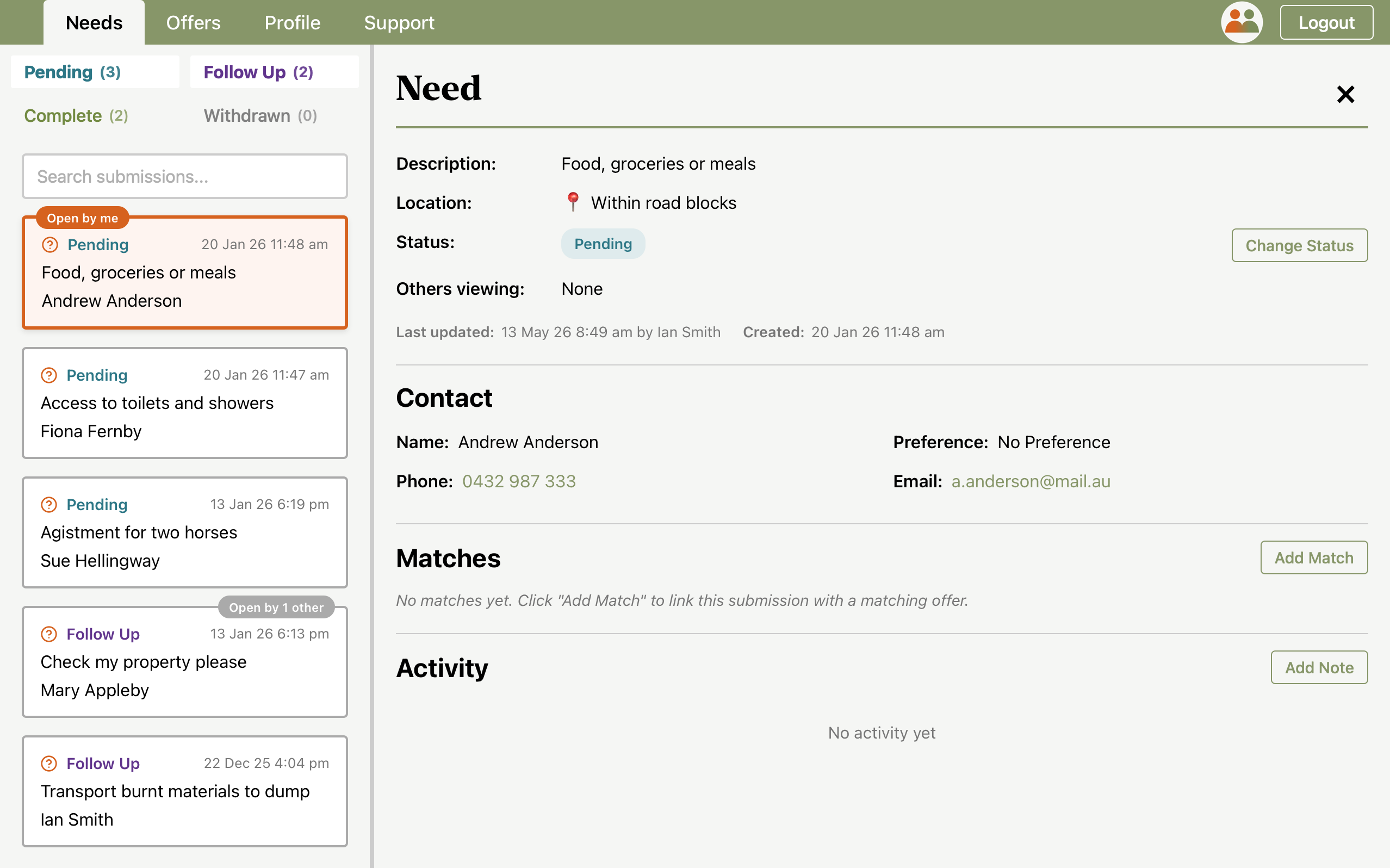
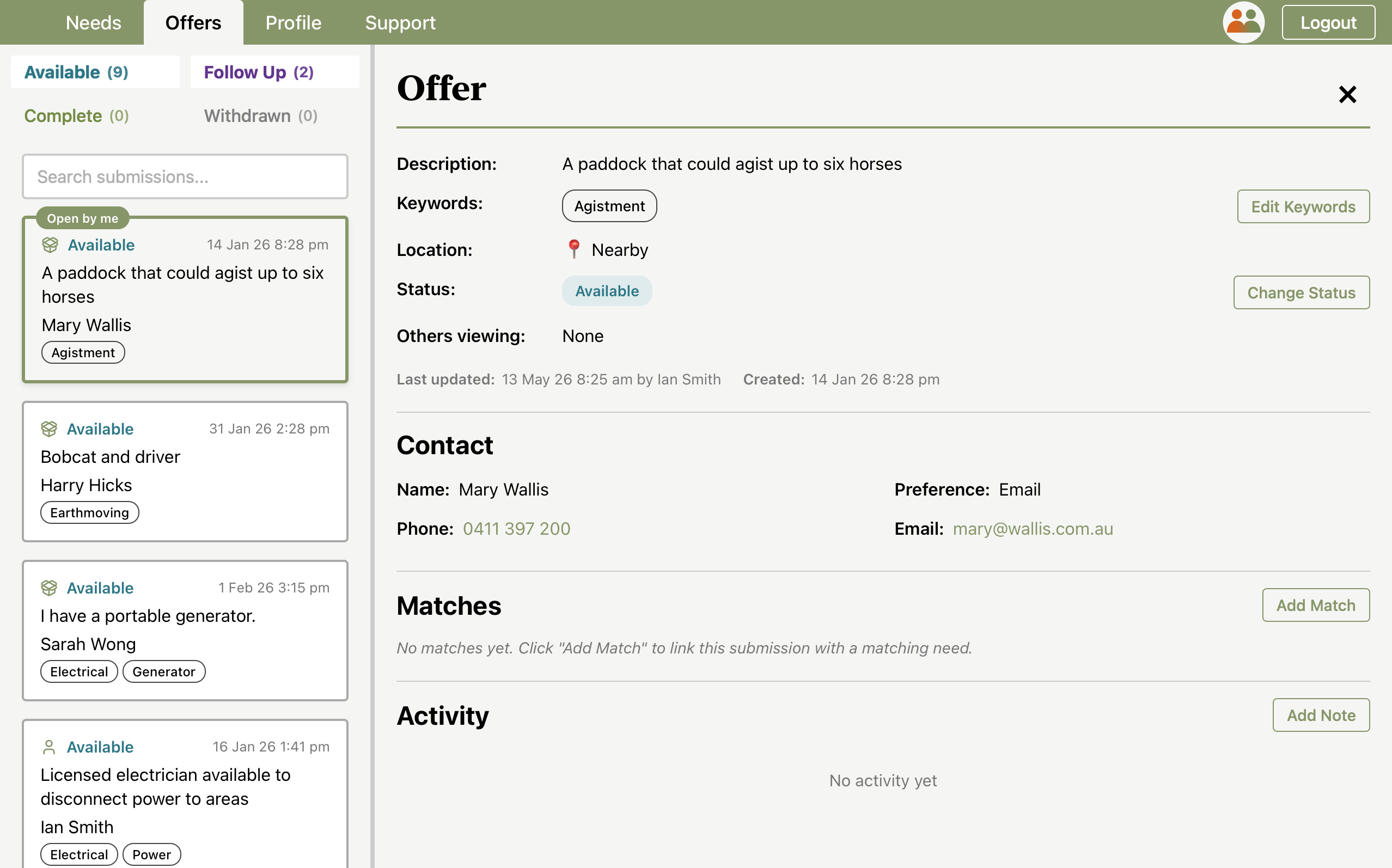
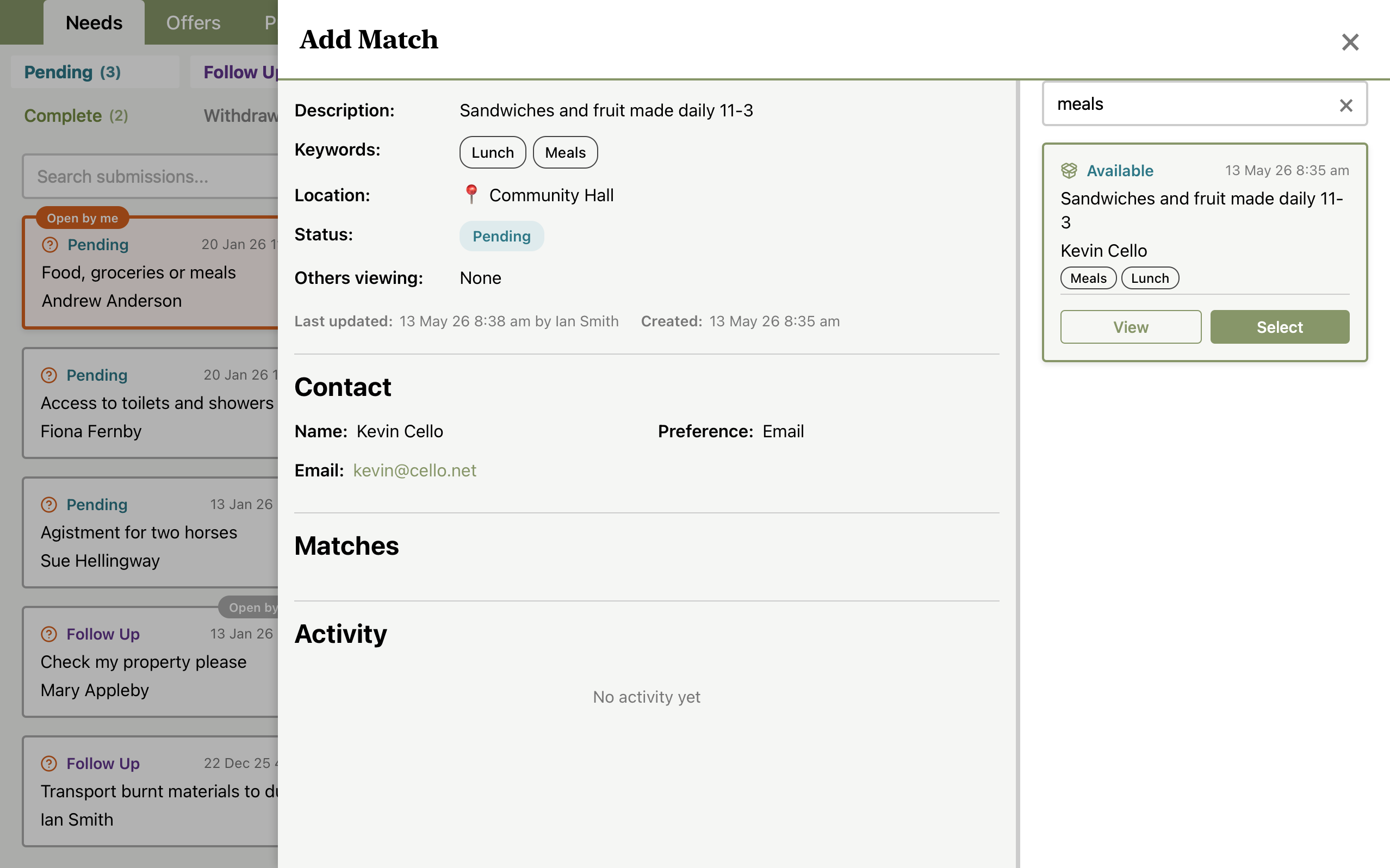
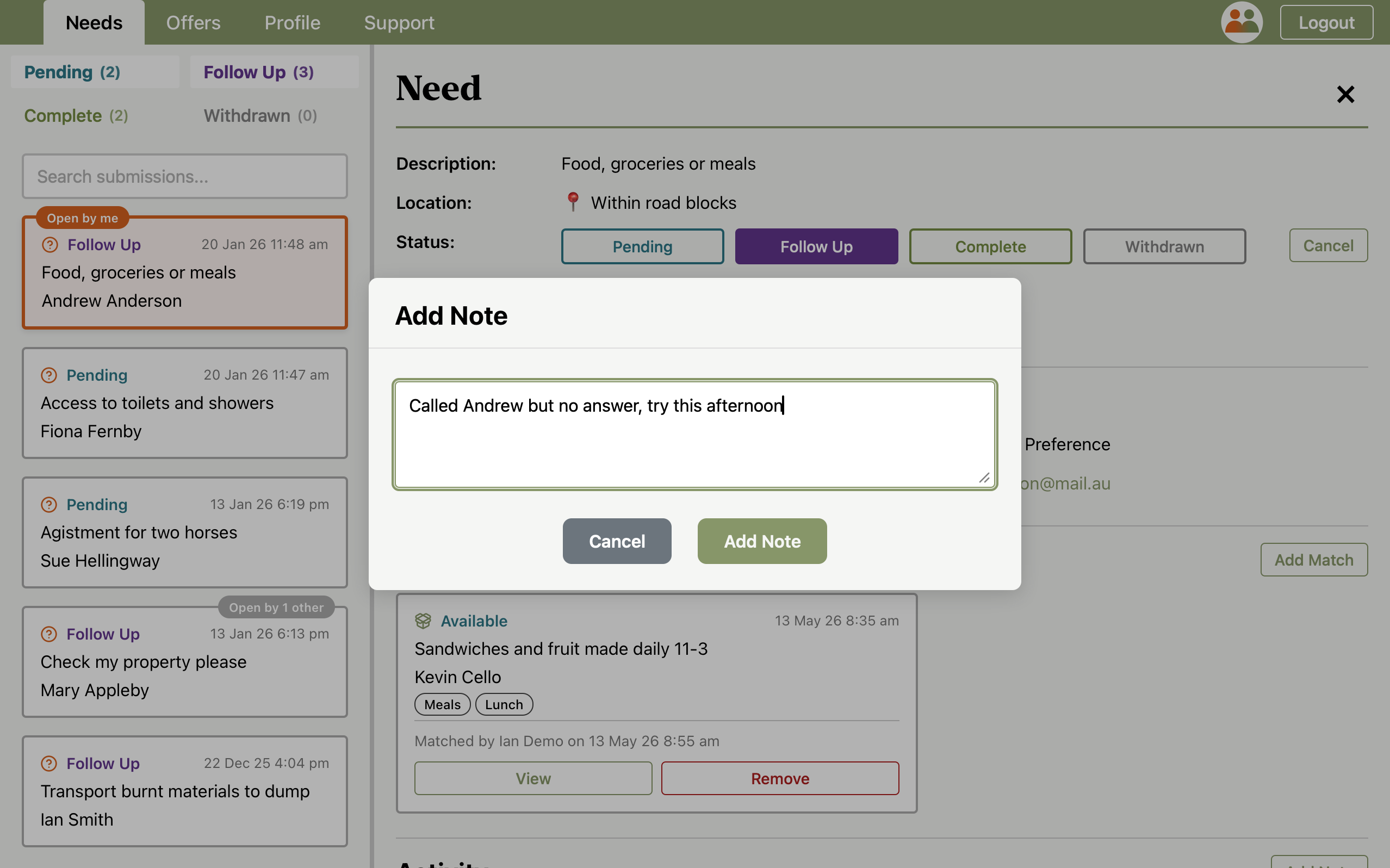
Once a match is made, moderators can add notes to track follow-up — contact attempts, outcomes, and next steps — keeping the full picture in one place.
Features
Needs, Offers & Volunteers
Three submission types cover requesting or offering equipment, supplies, services, or people to help.
Real-time Collaboration
Moderators see each other's activity live — who is viewing a submission, status changes, and new community needs and offers.
Needs/Offers Matching
Moderators can directly link needs and offers, including linking multiple needs with multiple offers.
The Human Touch
When a need is matched to an offer, a volunteer moderator personally contacts both parties and sees the connection through — from introduction to outcome.
Notes & Activity Log
Moderators can add notes to any submission — tracking contact attempts, outcomes, and follow-ups — so nothing is missed.
Keyword Tagging
Community-moderated keywords help volunteers categorise and filter submissions at a glance.
Public Community Board
Approved offers and needs can be published to a public board so the broader community can see what is available or needed.
Mobile Friendly
The public-facing forms work on any device. Community members do not need to install anything. The moderator dashboard is designed for a tablet or laptop.
Supports Your Workflow
The tool supports a variety of workflows according to community preference. A typical workflow is provided in the training materials as a starting point.
Moderator Management
Admins can add or remove moderators, and access a full audit log of all actions taken.
Spam Protection
Cloudflare Turnstile protects public submission forms from automated abuse.
Support & Training
Moderators have access to an in-app support page with quick reference guides, and a downloadable training guide.
Deployment
Recover Connect is available to community organisations and recovery groups. Getting started begins with a conversation — to make sure it's the right fit and that the community is set up to make use of it.
Each deployment is branded for the community — name, logo, colours, and example content are all configured to feel like a native tool for that community.
Off Duty Apps develops, maintains, and supports the software, which runs on your community's own Cloudflare account. Your data and deployment remain yours — and should circumstances ever change, your community has everything it needs to continue operating.
Try the Demo
The public submission forms are available to try at recover-connect.offdutyapps.com.au. The moderator dashboard requires login — contact us if you would like a demonstration or a test login.